Scratching the Web
In my last post, I wrote about solving a CTF that required reading C code and learning about Linux file descriptors (FDs). In this one, I’m writing about when I tried OWASP Juice Shop, an intentionally vulnerable web app for training and learning.
These early challenges are mostly meant to make you familiar with the basics: HTTP requests, what the browser blocks versus what the server enforces, how client-side and server-side validation differ, and where simple mistakes show up in real apps.
I also expected these to be relatively easy for me since I already have a pretty decent foundation from doing development in the past.
Setting Up
Setting up OWASP Juice Shop was very simple. I just had to clone the repo:
git clone https://github.com/juice-shop/juice-shop.git --depth 1
Then run npm install and npm start. Yep, that’s it. Quite simple.
Poking Around
After Juice Shop was up and running, the homepage looked like a simple ecommerce product page. There was a search box for products, which caught my attention because I’ve heard those are a very common place to find XSS.
I tried the classic <script> alert(document.cookie) </script> and obviously it didn’t work. Couldn’t be that easy.
But I used to watch random videos about cybersecurity even before starting to learn it seriously, so I knew a few XSS payloads like <img src="unreachable" onerror="alert(document.cookie)"/>. I tried it and it worked. The popup appeared.
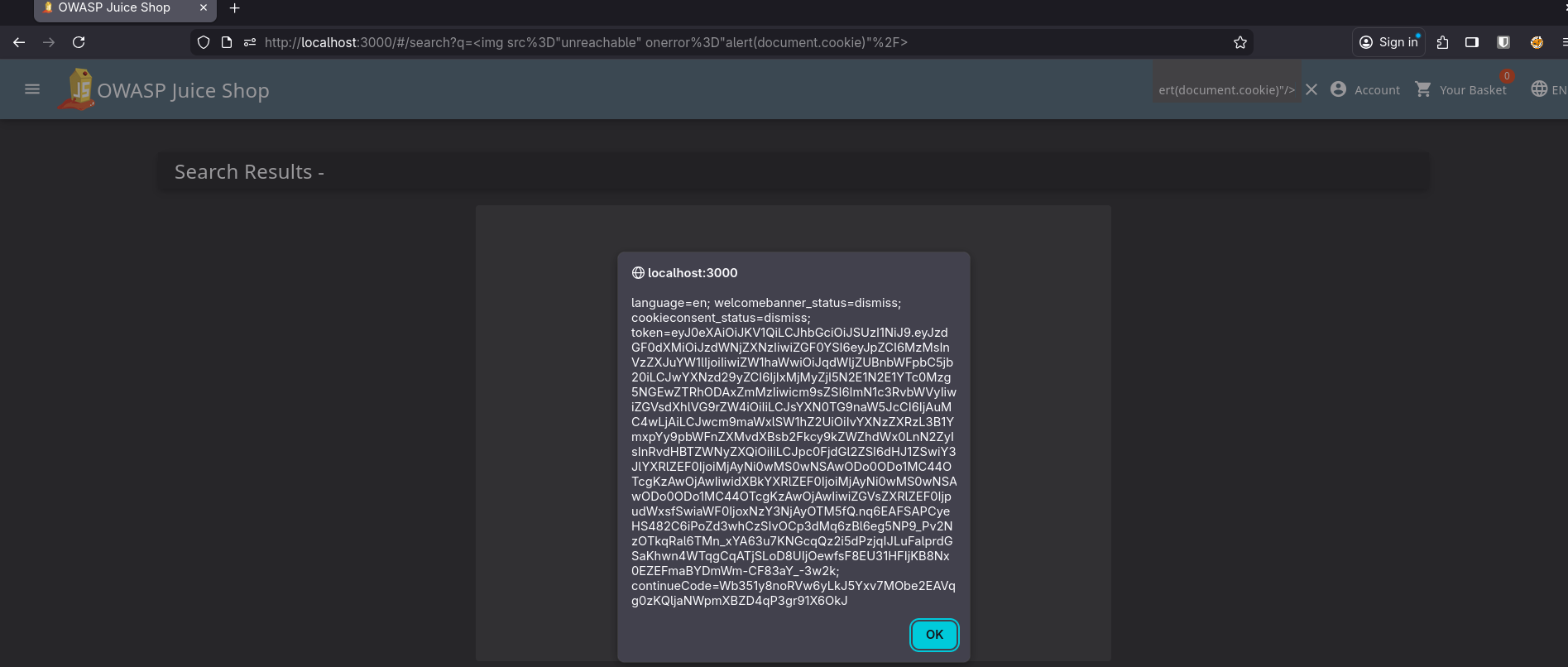
Still, I didn’t get any feedback like “Challenge Solved” or anything. As far as I remembered, the app is supposed to give you something like a flag when you trigger or find vulnerabilities.
That’s when I googled how I was supposed to play OWASP Juice Shop and found out it has a Score Board with a list of challenges. Finding the scoreboard itself is a challenge.
Let’s Find the Score Board
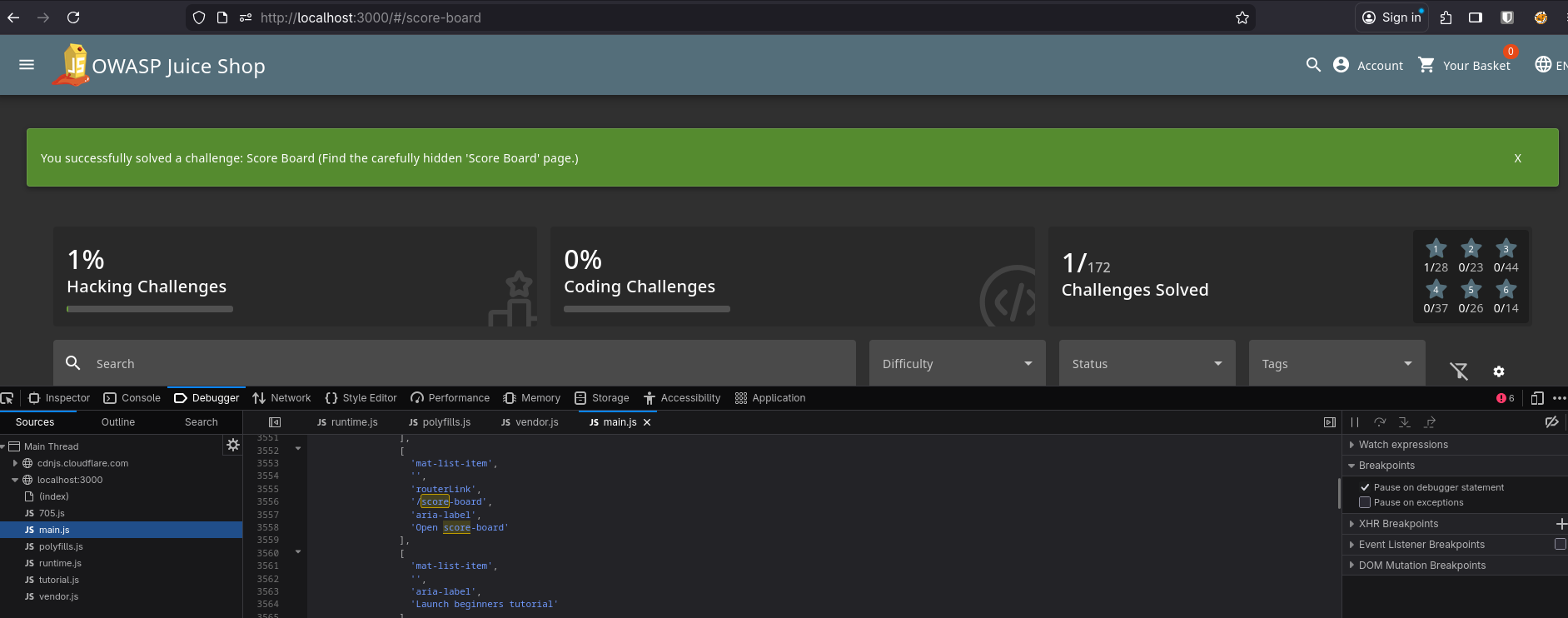
During my googling, I got a hint that I could find the URL to the scoreboard by analyzing the JS bundles. So I opened Developer Tools, went to the Debugger tab, and searched for score in the main.js bundle. After a few “next, next, next”, I found the route: /score-board.
When I visited it, I finally saw the scoreboard and the list of all challenges in the app.
Exploring the App
At this point, I had a list of challenges, but I wasn’t familiar with the app itself or its features. So I just browsed around: creating accounts, checking out, ordering, visiting settings, and all that.
After a few minutes of doing the basic things, I was pretty familiar with the app and its expected workflows.
Setting Up Goals
Now I had to set some clear goals for my first day of shopping, so I set a target: solve all easy-level (1-star) challenges.
There were 14 one-star challenges, and one of them was already solved (finding the scoreboard).
Clearing Up the Super Trivial Ones
Some of them looked super trivial, so I quickly cleared them up.
- Privacy Policy: Simply visiting the privacy policy page solves this one. Not technical at all, it’s just there to encourage the habit of reading privacy policies.
- DOM XSS: I already triggered a DOM XSS at the beginning using the
imgpayload. This challenge expects you to trigger XSS using theiframepayload provided in the challenge description. Pasting the giveniframepayload into the search box solves it. - Bonus Payload: Basically the same as DOM XSS, just a different payload. This one plays a song about OWASP Juice Shop from SoundCloud. It’s fun.
- Mass Dispel: This required closing multiple “Challenge Solved” notifications at once. The application manual already mentioned that
Shift+ click closes multiple notifications, so this one was also very trivial.
Let’s Start for Real
Now I was ready to solve each one, one by one.
Bully Chatbot
This was labeled as: challenges which are not considered serious and/or realistic but exist more for entertainment.
There was a support chatbot, and I was expected to get a coupon code from it.
I was just randomly chatting without much thought, and it randomly gave me a coupon. Challenge solved. After all, like they said themselves, it wasn’t meant to be realistic, just for fun.
Confidential Document
This challenge expected me to get access to some confidential documents. I tried things for a while and didn’t find anything. When I used the first hint, it said: Analyze and tamper with links in the application that deliver a file directly.
That made me think about places in the app that deliver a file directly through a URL. After a bit of wandering, I found it: the order receipt. When an order is placed, you get an invoice and the URL looks like /ftp/<invoice-id>.pdf.
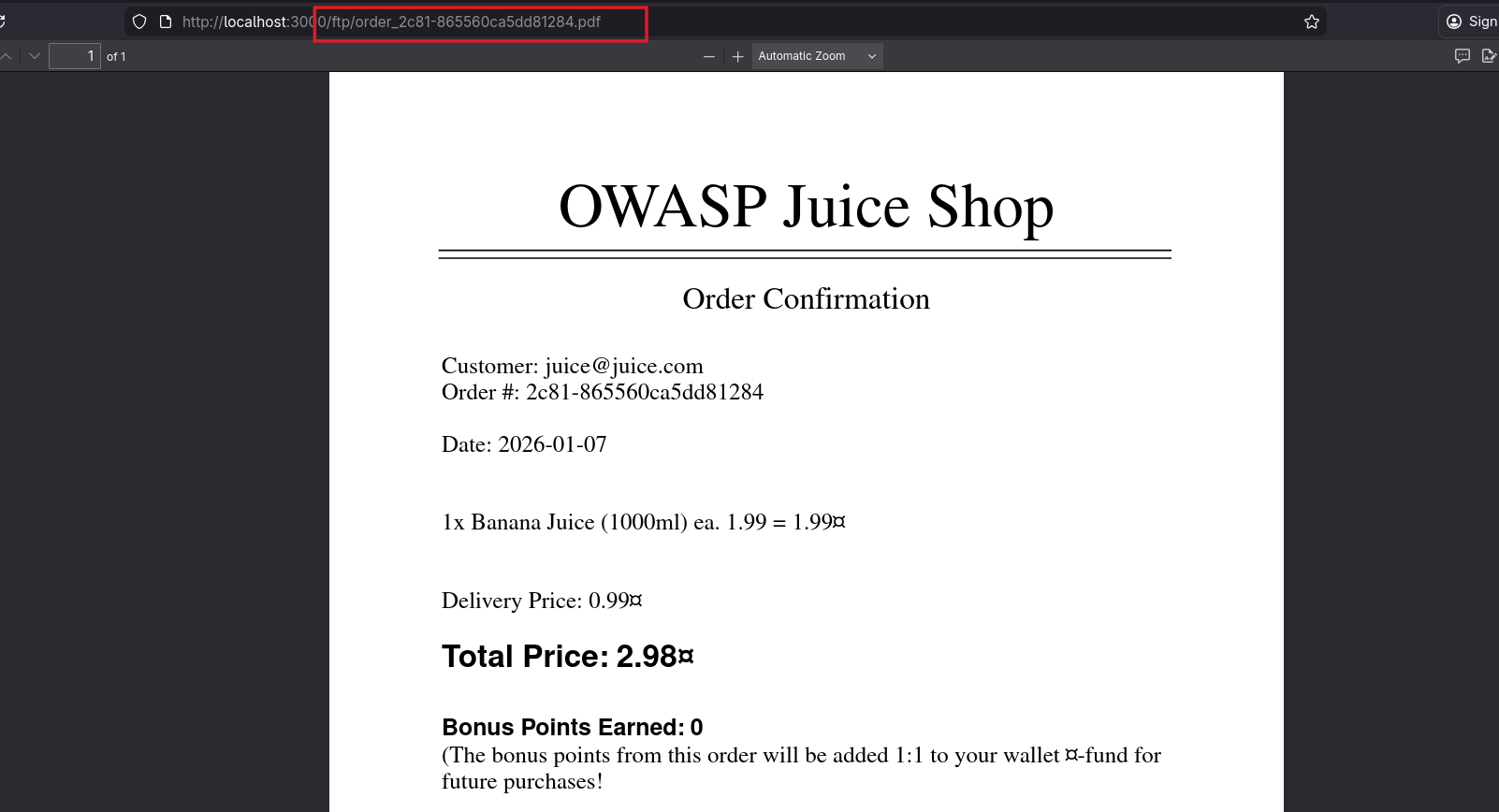
That immediately made me curious if I could reach /ftp/. When I visited that route, it landed me in a web directory with a bunch of files. I tried opening some of them and apparently I could only open PDF and MD files. Trying to open any other files resulted in some kind of error.
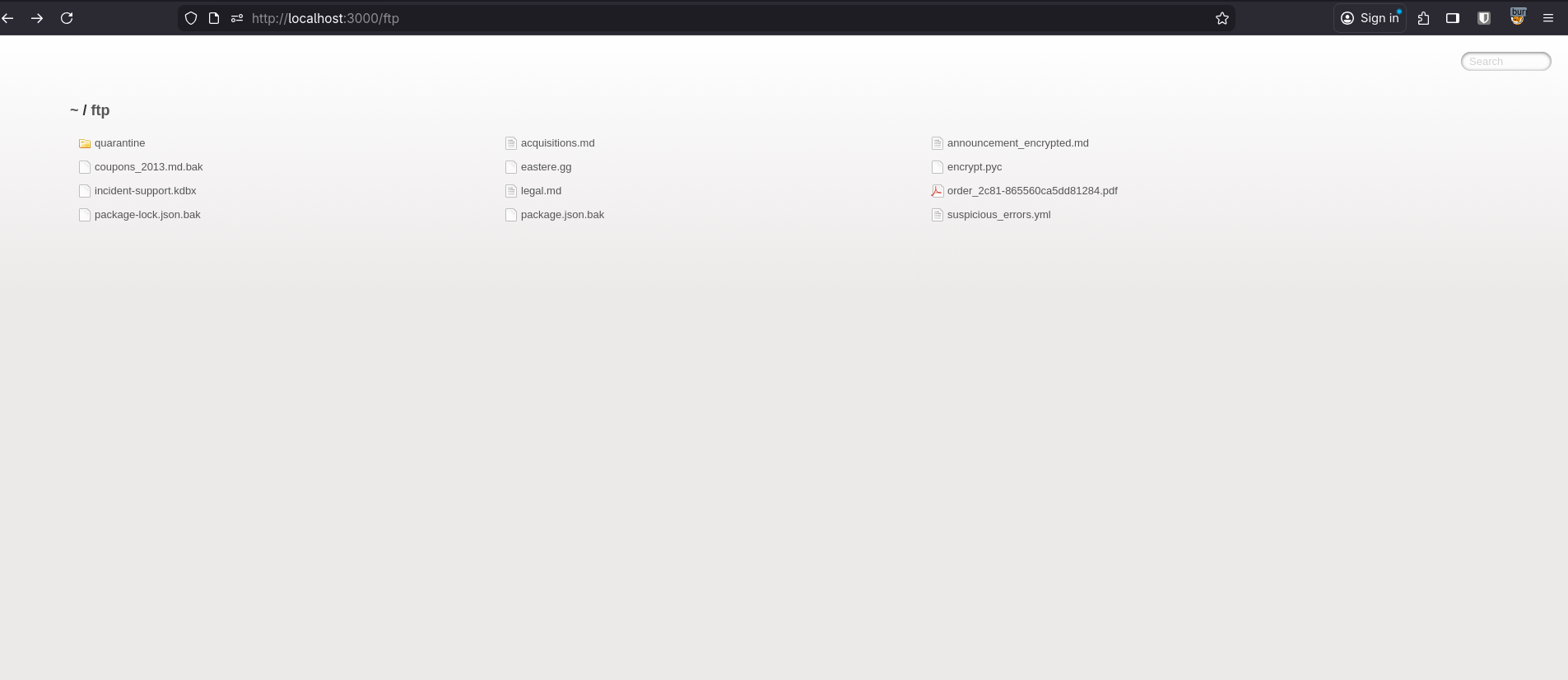
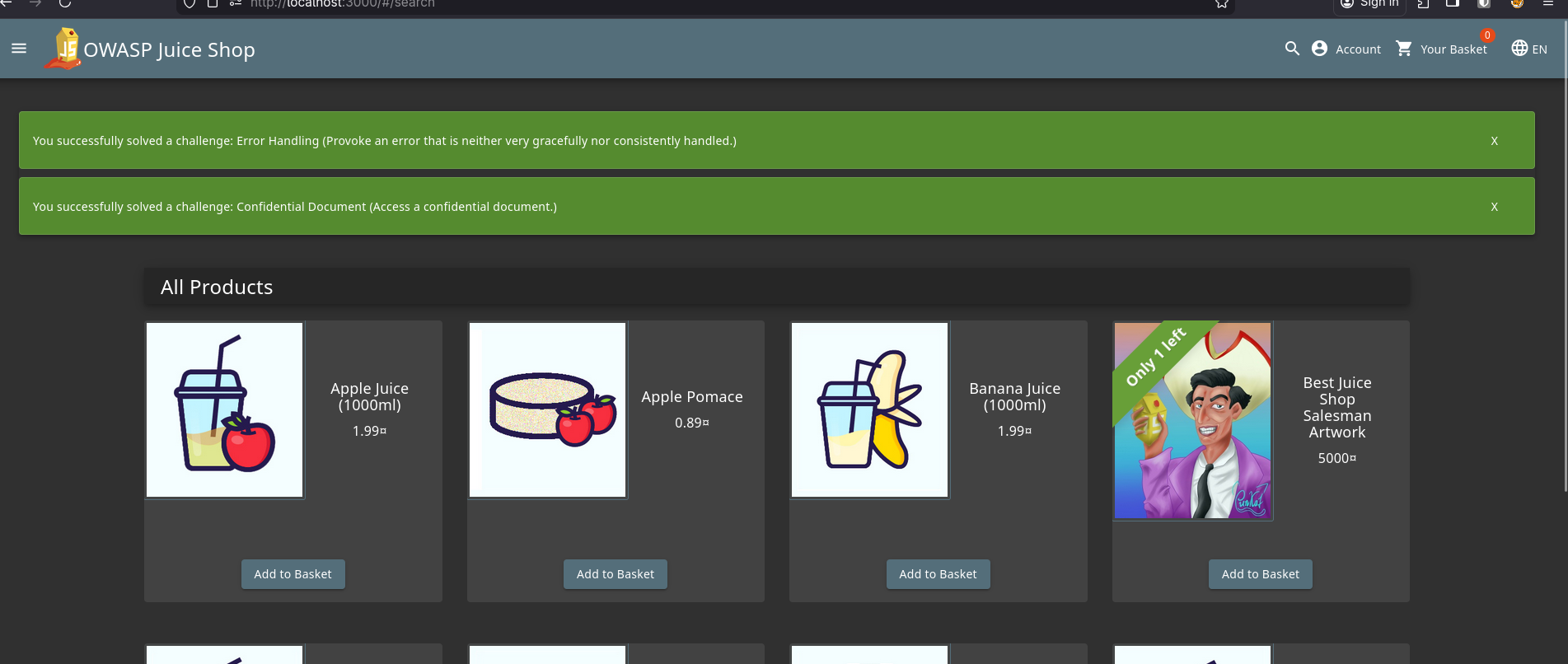
Anyway, when I went back to the scoreboard, the Confidential Document challenge was solved. As a side effect of the errors from opening random files in that web directory, the Error Handling challenge also got solved at the same time.
Takeaways
- Direct file-serving endpoints and predictable paths can expose more than intended.
- “Hidden” directories like
/ftp/are worth testing when URLs suggest them. - Error pages can leak behavior and sometimes solve an “Error Handling” style challenge by accident (😹).
Exposed Metrics
This was quite simple. The description itself pointed to the Prometheus GitHub repo, and after reading a bit about Prometheus, I learned this is the rough idea of how it works:
- The application exposes an HTTP route like
/metrics. - Prometheus polls this route at certain intervals to collect metrics.
- Prometheus stores the metrics in a time-series database.
If /metrics is exposed publicly, it can leak system information and metrics.
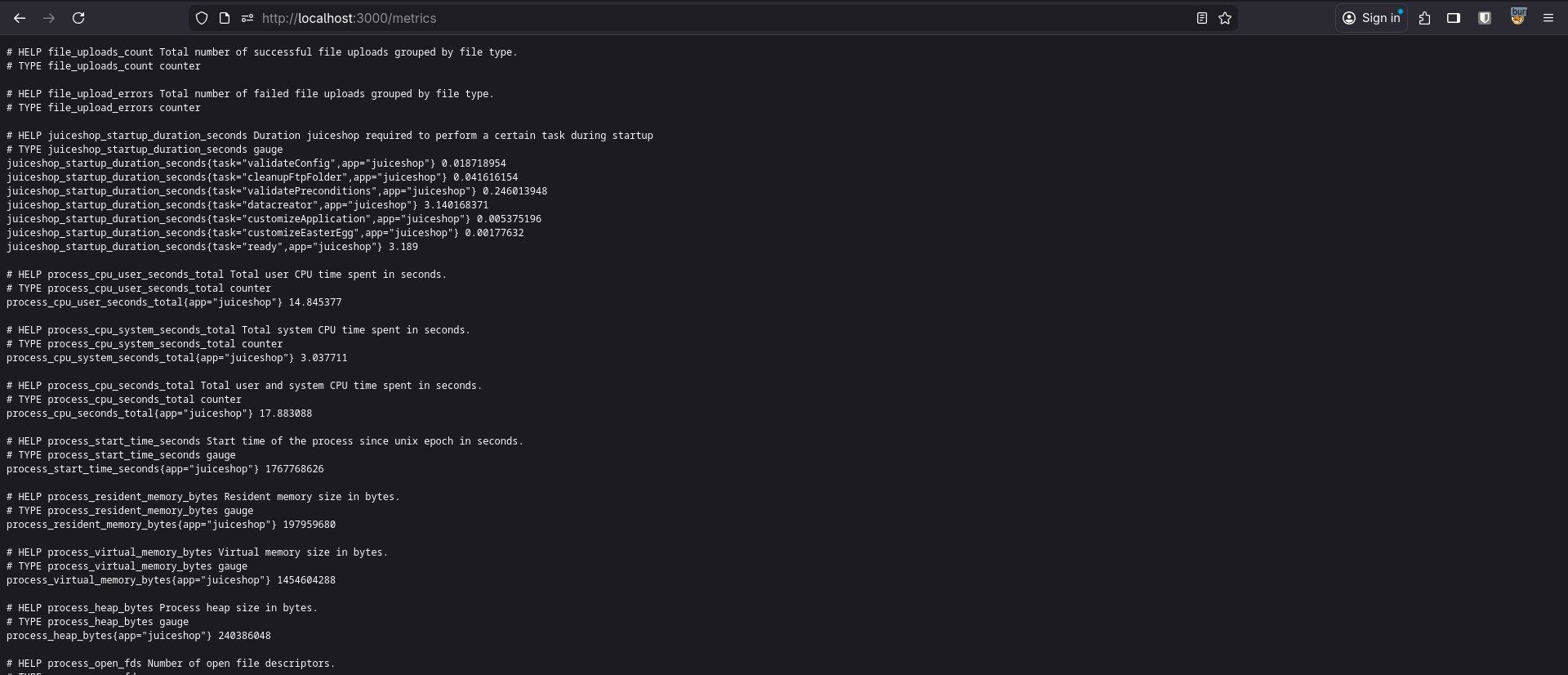
So I visited /metrics, saw the metrics, and the challenge was solved.
Takeaways
- Observability endpoints like
/metricsare great internally but risky when public. - A simple URL guess can be enough when defaults are left exposed.
Missing Encoding
This one expected me to Retrieve the photo of Bjoern’s cat in “melee combat-mode”.
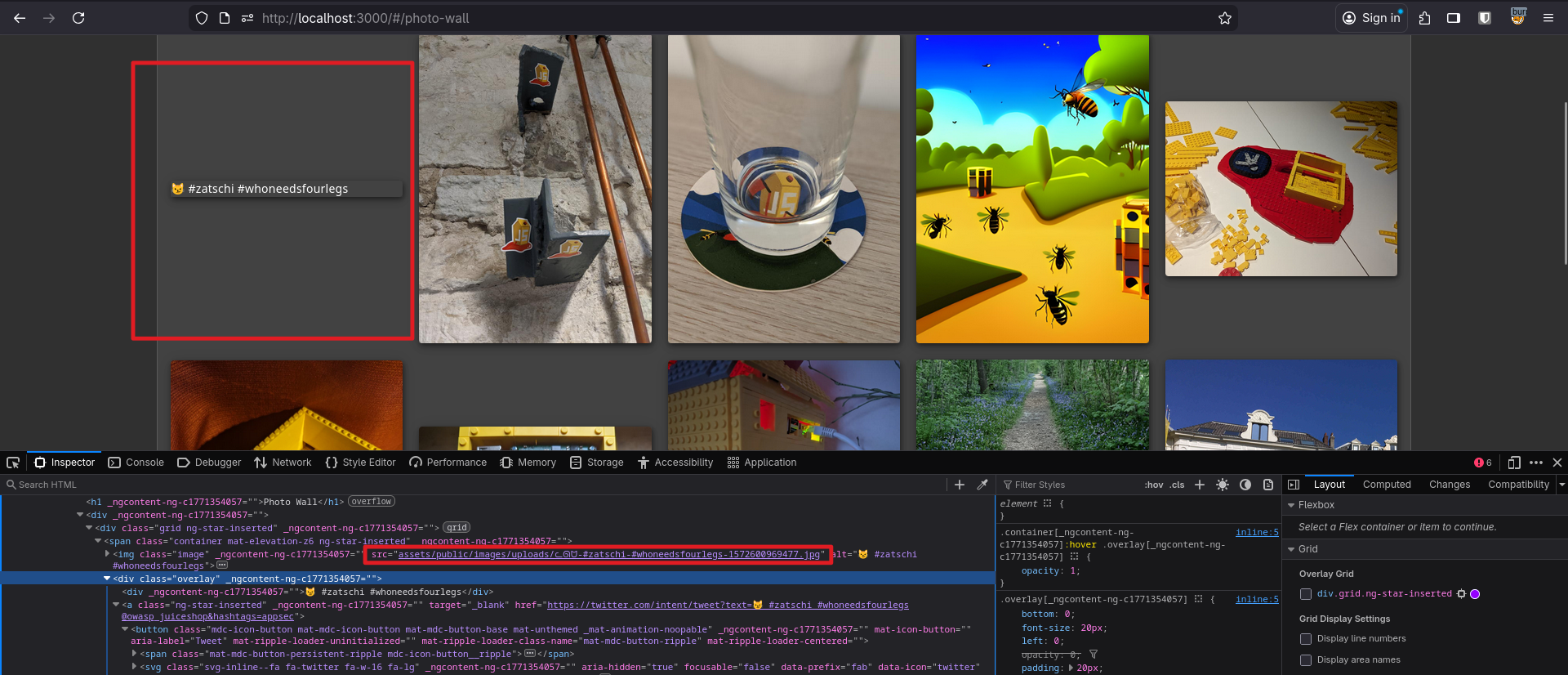
Right after it mentioned a photo, I went to the Photo Wall page and the first image wasn’t rendered properly. When I inspected the image element in DevTools, the filename contained some weird characters:
ᓚᘏᗢ-#zatschi-#whoneedsfourlegs-1572600969477.jpg
Since the title already hinted it was about encoding, I URL-encoded the name and replaced the image URL with the encoded one:
%E1%93%9A%E1%98%8F%E1%97%A2-%23zatschi-%23whoneedsfourlegs-1572600969477.jpg
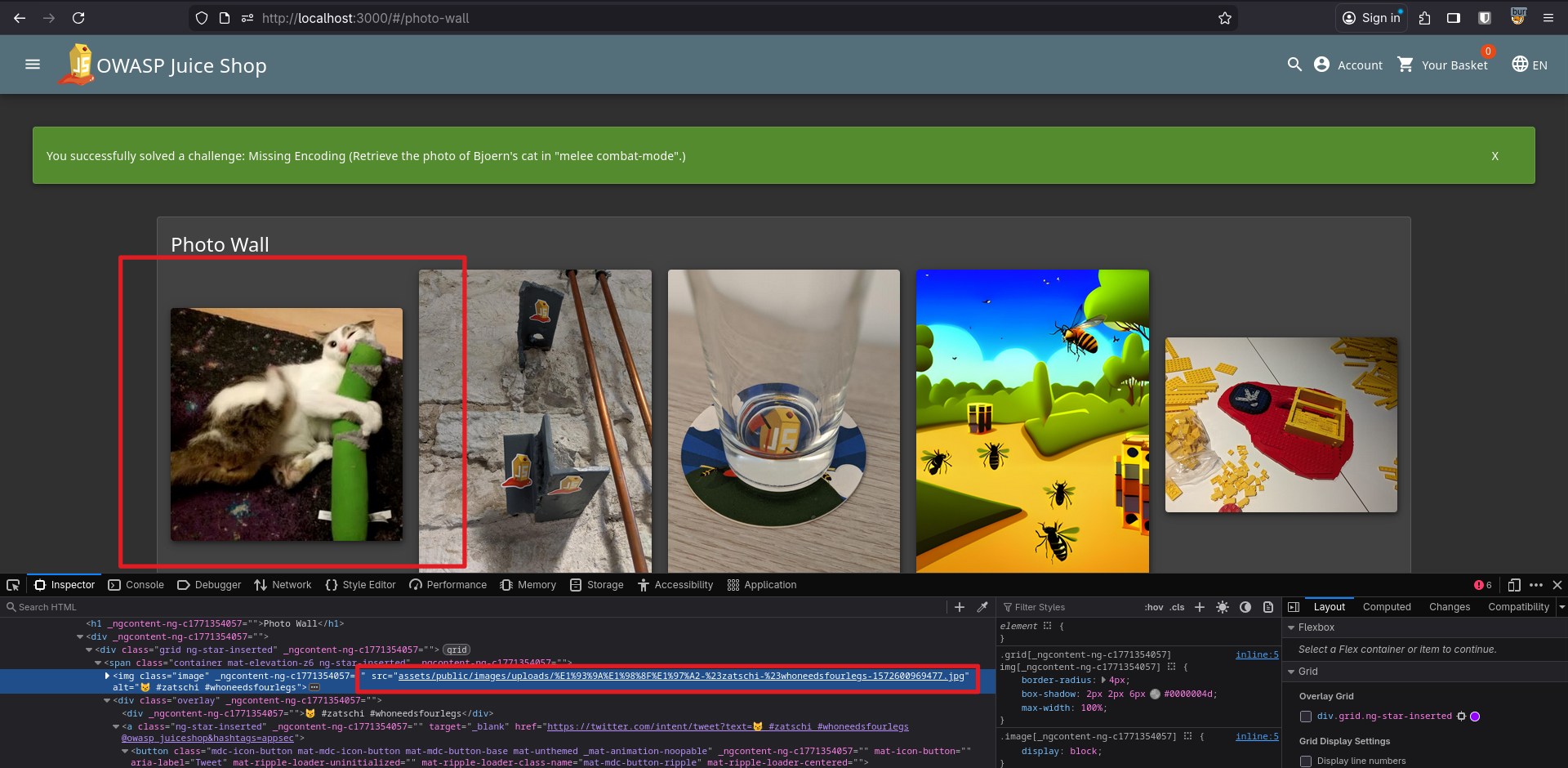
Boom, challenge solved.
Outdated Allowlist
This required me to redirect users to one of their cryptocurrency addresses that is not promoted any longer.
Naturally, “cryptocurrency address” implies payment, so I went to the payment page after checking out a product. There was a list of alternative payment options. While inspecting their URLs, I noticed a route like /redirect?to=<URL>.
Since the challenge mentioned an address that isn’t promoted anymore, I guessed it might still exist in the JS bundle. I searched the main.js bundle for /redirect?to= and got a match:
redirect?to=https://blockchain.info/address/1AbKfgvw9psQ41NbLi8kufDQTezwG8DRZm
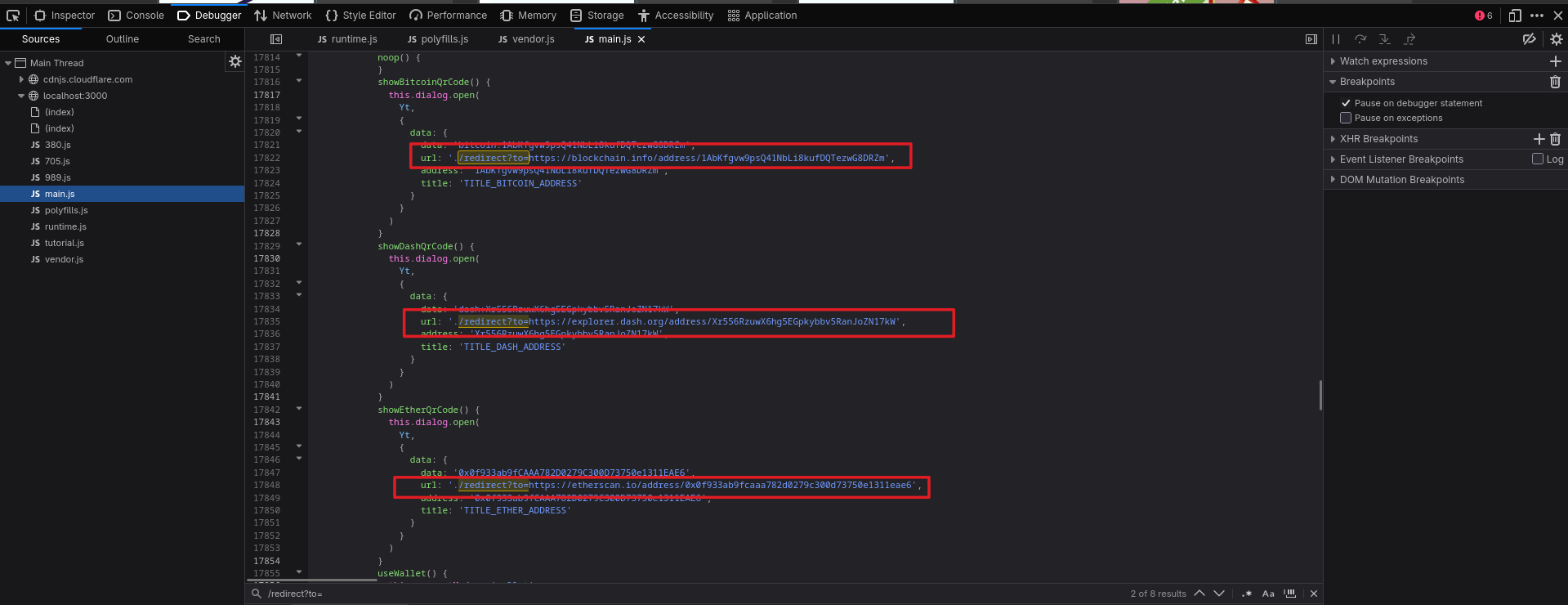 It looked like a Bitcoin address that is no longer promoted. Visiting that route solved another challenge.
Takeaways
- Frontend bundles often contain old constants and URLs that the UI no longer shows.
- Searching JS bundles for patterns like
redirect?to=can reveal a lot.
Web3 Sandbox
We were supposed to find a Web3 sandbox that was left accidentally. This also wasn’t reachable from the UI, so I went to the same main.js bundle and searched for sandbox. As expected, I found the route: web3-sandbox.
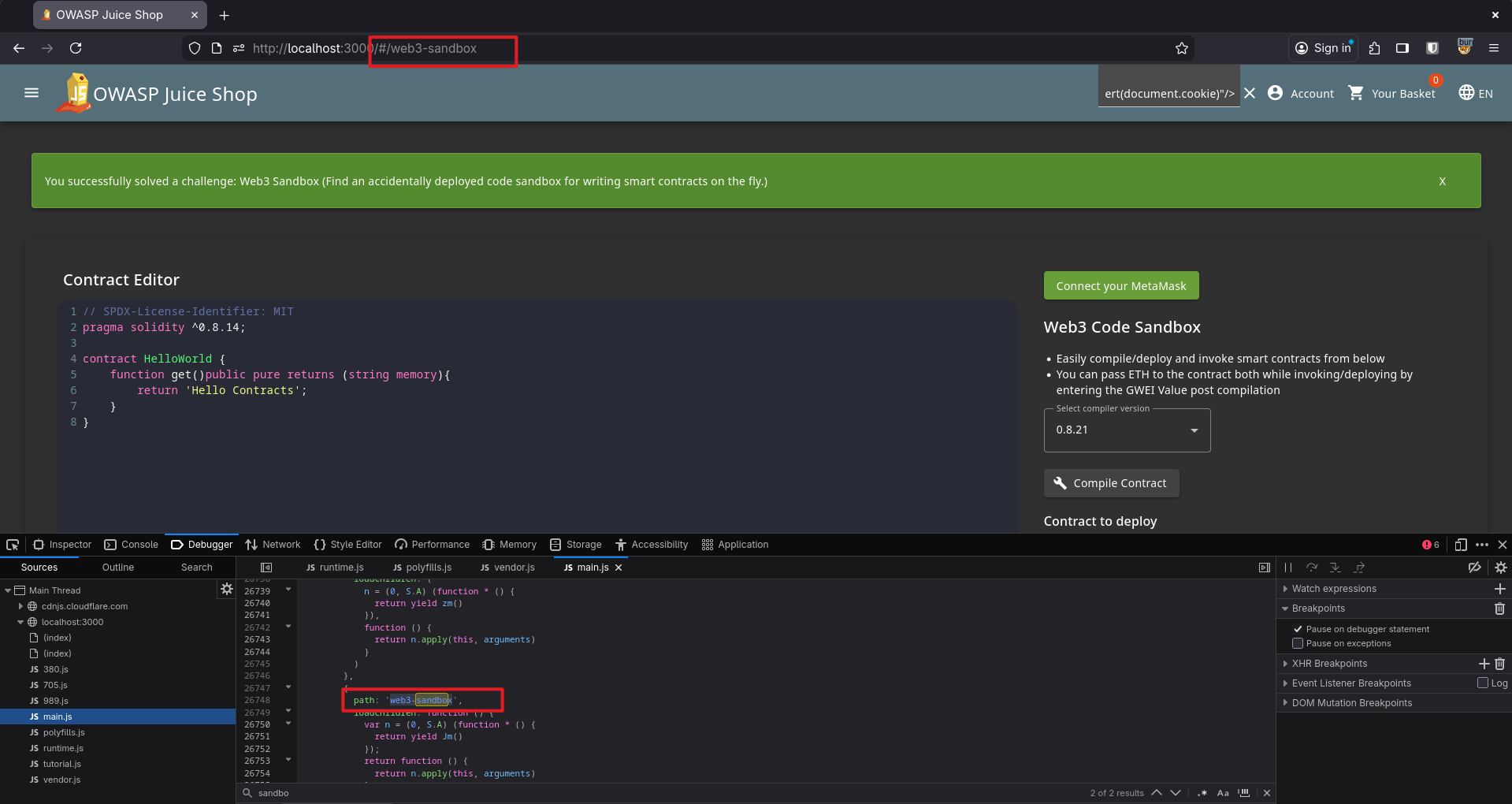 When I visited
 /#/web3-sandbox, I could access the sandbox and the challenge was solved.
Takeaways
- If a feature is “not in the UI”, it might still be deployed.
Zero Stars
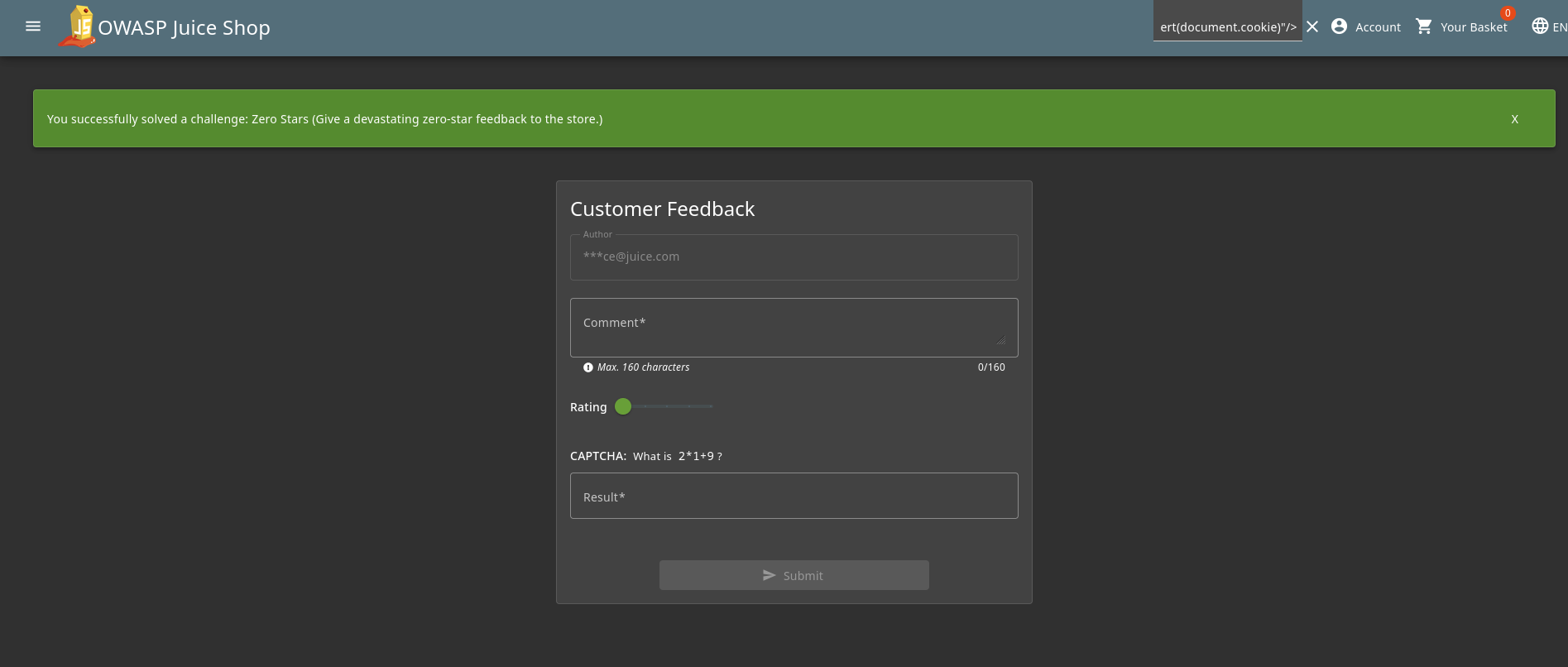
The challenge was to give a zero-star rating, but the feedback form at /#/contact only allowed a minimum rating of 1 star.
But that restriction was only in the UI. What if I sent the request myself to the backend with the rating field set to 0?
Sending the request manually would mean handling auth headers and other things, so I used Burp Suite to intercept the request and changed the rating field to 0.
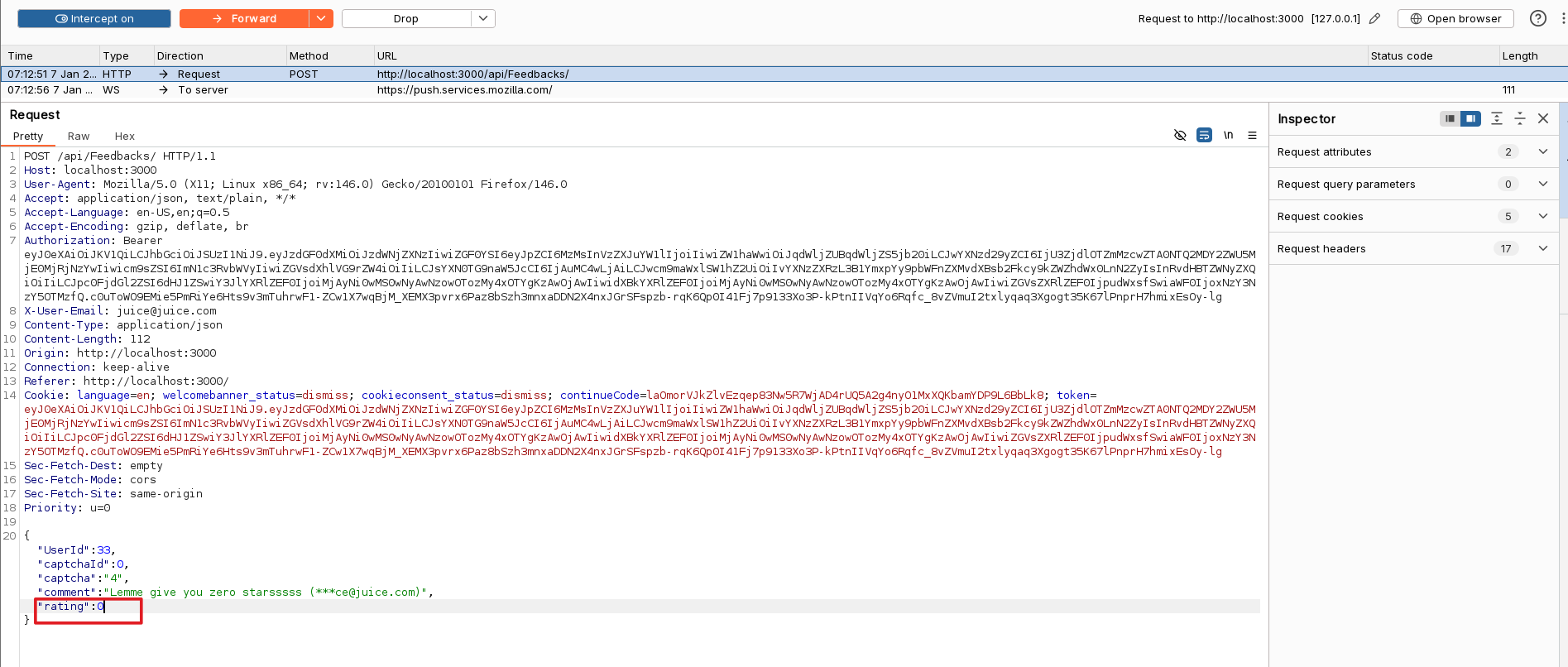
And boom, another challenge solved. Now only one one-star challenge left.
Takeaways
- Client-side validation is just a suggestion unless the server enforces it.
- Intercepting and editing requests is often enough to test trust boundaries.
- Tools like Burp Suite make it easy to change one field and see what breaks.
Repetitive Registration
This challenge said to apply the DRY (Don’t Repeat Yourself) principle when registering. But the user registration form has both Password and Repeat Password fields.
If you enter different values, the UI obviously doesn’t let you submit the request. It disables the button. But again, what if I intercept the traffic in Burp Suite and change the password fields there?
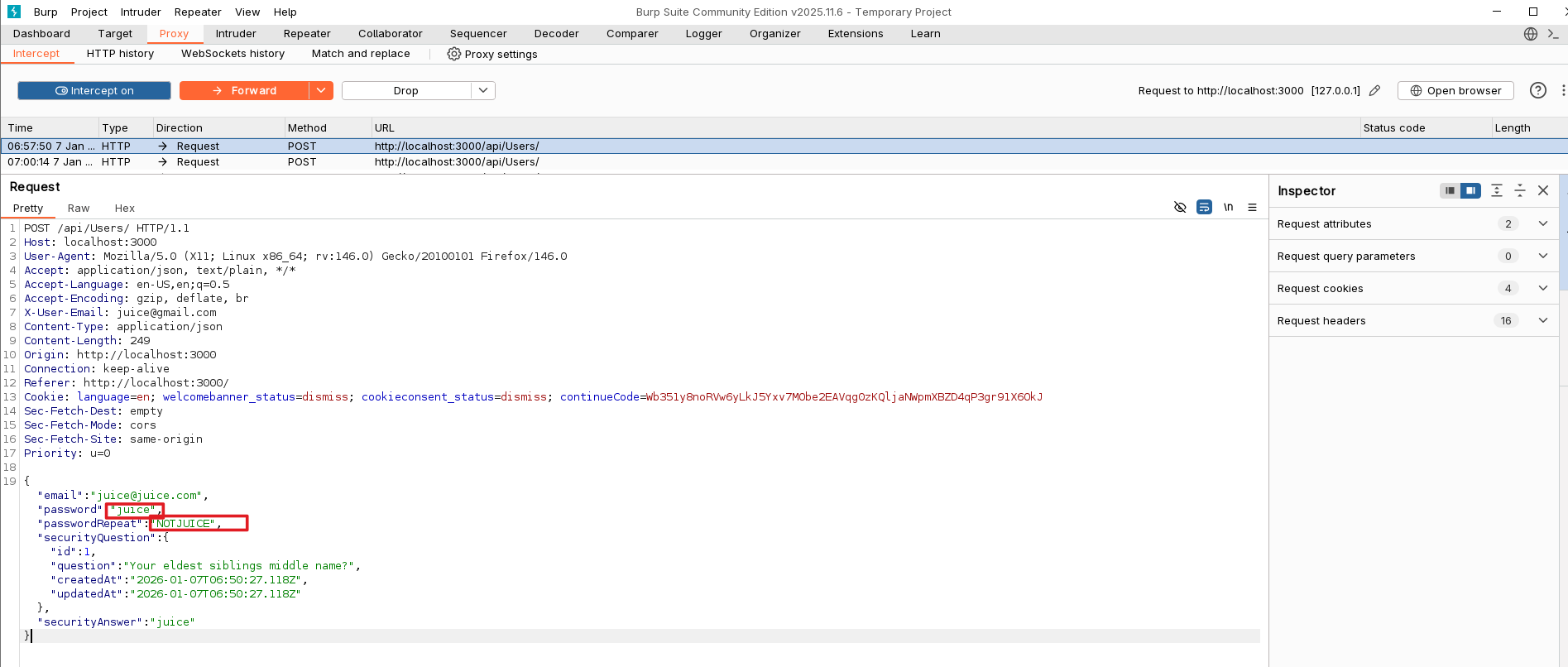
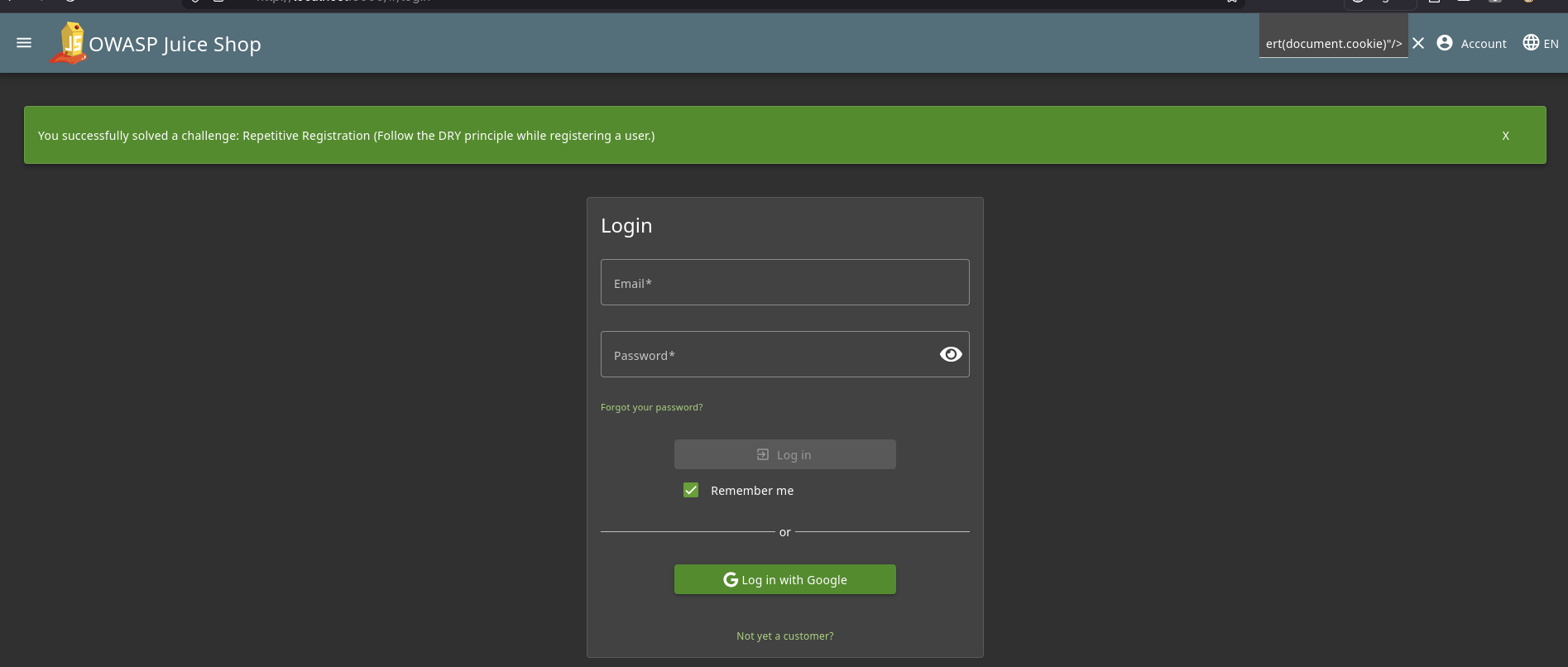
After changing the Repeat Password field to something else in Burp Suite, the user was still created successfully and the challenge was solved.
Takeaways
- UI checks do not matter if the backend does not validate the same rules.
- Registration flows are a great place to test server-side validation.
- “DRY” here is really about trust: the server should not trust duplicated client fields.